
The AI-native immigration platform
Open a case filethat is finished
Pleava runs the intake, chases the documents and drafts the forms, so the file your attorney opens is already built. Nothing reaches a client, or a government form, without an attorney approving it first.
- Intake to first reply
- < 60sIntake to first reply
- Median client intake
- ~8 minMedian client intake
- Legal advice from a bot
- 0Legal advice from a bot
Hi — I got the letter about my case?
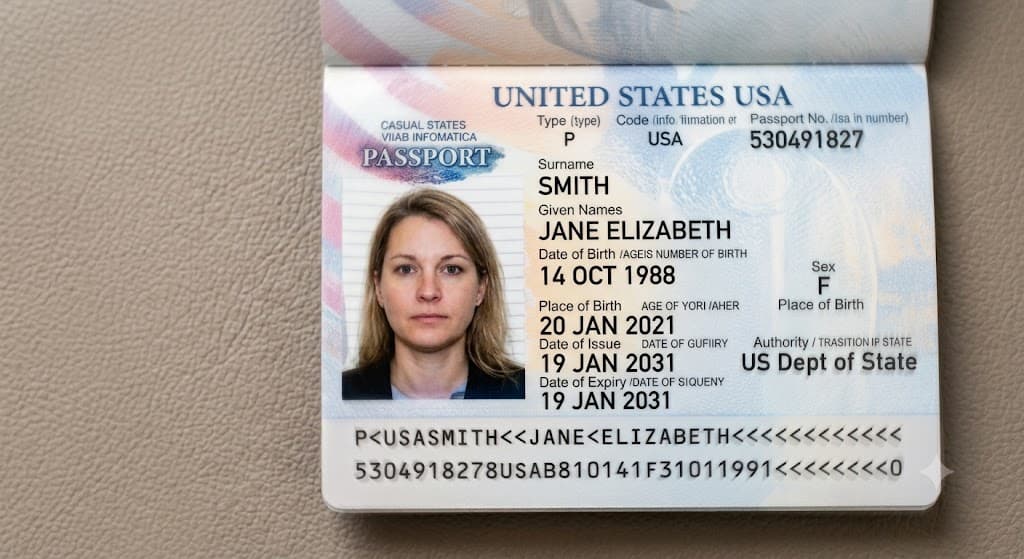
Thanks for getting in touch. To open your file I need a photo of your passport page.
📎 passport.jpg
Got it — that's readable. Next: your birth certificate.
How it works
Four steps, and only one of them is yours.
The platform does the collecting, the reading and the drafting. The judgment stays with the attorney who carries the bar licence — that is not a default you can change, it is the shape of the system.
- 01Client, unassisted
A lead arrives, at any hour
The intake stepper adapts to the visa path as the client answers — on a phone, in English or Spanish, in about eight minutes. No form to email back, no PDF to print.
- 02Automatic
The file builds itself
Intake becomes a case: evidence items stamped from the workflow for that category, the applicant researched, the file scored criterion by criterion, an attorney brief written. Inside a minute.
- 03Until the file is complete
The assistant chases what is missing
One question at a time, in the client's language, on WhatsApp or in the portal. It reads the photos they send, checks legibility on the spot, and files each document against the right evidence row.
- 04The gate
The attorney decides
Drafts, requests and forms queue for the assigned attorney. Approve, edit or reject — one click, or a batch at once. Nothing reaches a client or a government form any other way.
The client channel
The chasing happens without you.
This is the whole of it — the assistant asking, the client sending, a bad photo caught on the spot, and the one question it will not answer.
- Where your clients already are
- No app to install, no portal password to reset, no email that goes unread for a week. For clients who do not use WhatsApp, the same conversation runs in the client portal instead.
- One question at a time, in their language
- It asks for one thing, waits, and files the answer against the right evidence row. English and Spanish at launch, with the thread reading naturally in both rather than translated word for word.
- It checks the photo before you do
- A passport shot too soft to read costs a message and twenty seconds, instead of surfacing three weeks later when someone opens the file to prepare a filing.
- It knows where its authority ends
- No legal advice, no outcome prediction, no eligibility interpretation — under any phrasing, in any language. Questions like that become an attorney card, not an answer.
An illustration of a WhatsApp conversation between Pleava's assistant and a client. The assistant asks for a photo of the petitioner's passport, detects that the first photo is too blurry to read and asks for a retake, then confirms the document and its expiry date. When the client asks whether their case will be approved, the assistant declines to predict the outcome and escalates the question to the assigned attorney.
Case Intelligence
Research the file and the policy in the same question.
A chat surface for attorneys and paralegals that reads the case in front of it and the published guidance around it — and footnotes every claim to whichever one it came from.
Cites the manual, not the model
Answers name the volume, part and chapter — or the CFR section — so the person relying on it can open the source and check. An answer a lawyer cannot verify is an answer a lawyer cannot use.
Grounded in the file you already have
It reads the same evidence rows, documents and messages the rest of the platform writes. Ask what a file is strongest on and the answer comes from what has actually been accepted.
A staff tool, and only that
Paralegals get to a first draft of the research; attorneys get the citation trail to check it against. Nothing it writes reaches a client, and it decides nothing.
Does the marriage certificate we have satisfy the primary evidence requirement, or do we need a secondary?
The certificate on file is a civil registry extract issued by the registrar, which is primary evidence of the marriage[1]. No secondary evidence is required unless the record is unavailable[2]. The copy in the vault is legible and complete, but the certified translation is still outstanding[3].
- [1]USCIS Policy ManualVol. 6, Part B, Ch. 2
- [2]8 CFR§ 103.2(b)(2)(i)
- [3]This case fileEvidence · Certified translation — outstanding
Staff-facing only · not client-visible · decides nothing
In context
Every answer is scoped to this case. It cannot read another firm's files, or another client's.
What you get
One platform, not six subscriptions.
Case management, client conversation, documents, forms, deadlines and timekeeping on a single data model — which is the only reason any of it can be automated across the others.
Intake & the case file
- Multilingual intake on any device, around eight minutes
- Case file built from intake, evidence stamped per visa path
- Case list with search, filters, bulk assign and bulk stage
- Likelihood scoring, criterion by criterion — internal, never client-visible
- Attorney brief waiting before the first consult
Documents & forms
- Document vault, virus-scanned before anything is served
- Text extraction — text layer, then OCR, then vision
- Legibility checked on upload, not at filing
- Form drafting: deterministic mapping for data, AI only for judgment
- Diff review before anything is filed
- Filed versions write-protected, permanently
Client communication
- WhatsApp assistant — intake, chasing and human takeover
- Client portal — progress, dates, documents and messages
- Automated chasing that escalates to a human when it stalls
- Reads photos, PDFs and voice notes, and confirms what it extracted
- English and Spanish at launch
Firm operations
- Attorney review queue and approval gate
- Deadline engine with escalation and daily digests
- Case Intelligence — research across the file and published policy
- Firm dashboard, attorney board and triage list
- Time tracking, timesheets and billing-integrity checks
- Teams, roles, invitations and offboarding
Every category you practise
Workflow definitions, not generic templates
- Family-based
- Petitions, adjustment of status, consular processing, waivers, removal of conditions
- Employment-based
- Specialty occupation, extraordinary ability, national interest, intracompany transfer
- Naturalization
- Eligibility tracking, applications, interview preparation
- Humanitarian
- Asylum, temporary protected status, deferred action, victim-based relief
- Status & travel
- Extensions, changes of status, travel and work authorization
- RFE & NOID response
- Deadline clocks, evidence gap analysis, response assembly
The gate
The software never signs anything.
Drafts, document requests and forms queue for the assigned attorney — or a delegate they name, time-boxed and logged. Approve, edit or reject. Batch the routine ones, read the ones that matter. Nothing leaves any other way.
- Attorney-controlled decisioning
- No AI output reaches a client or a government form unless an attorney approved it, or it is whitelisted as low-stakes — reminders and scheduling, nothing more. Document requests are not whitelisted. There is no third path, and no setting that creates one.
- Encryption, with a key per firm
- Client names, contact details, A-numbers, message bodies and document text are encrypted at rest with AES-256-GCM under a key belonging to your firm alone — not one key for the platform. Documents are served only through short-lived links issued after an access check, and every file is virus-scanned before it can be previewed.
- Separation the database enforces
- Firms are separated by row-level security inside Postgres, and clients of the same firm are separated from each other the same way. The database refuses the query rather than trusting application code to remember a filter — which is the difference between a rule and a habit.
- An audit trail nothing can edit
- Every meaningful action appends to a log: who acted, whether it was a person or the AI, on whose behalf, and when. The application has no permission to update or delete an entry — not a policy, a missing grant. Your dashboards and your audit trail are the same record.
- Confidentiality by design
- Client messages, document text and prompts stay inside our boundary — never in third-party error logs or analytics, which see identifiers and counts only. Privileged material is flagged and stays out of client-facing views. Client messages are treated as untrusted input, because a message is something a stranger writes.
- Document request · María Rodríguez GarcíaAsking for the certified translationroutineApproveEdit
- Form draft · Manpreet SinghI-140 · 31 fields mapped, 2 judgment fieldsread itApproveEdit
- Document request · Kwame MensahAsking for the current I-94routineApproveEdit
- Client message · Liliana DuarteReply explaining what happens after biometricscheck itApproveEdit
Every approval records who, when, and what changed
What we will hold to
We would rather be checkable than impressive.
We are onboarding our first firms, so there are no testimonials on this page yet — putting invented ones here would undo the only thing we are actually selling. These are the commitments instead. The marked ones are enforced by the system rather than by us remembering.
No AI output will ever reach your client or a government form without an attorney approving it. This is not a setting. There is no plan, tier or configuration in which it becomes one.
The bot does not give legal advice. It does not predict outcomes and it does not interpret eligibility — in any language, under any phrasing, no matter how the client asks.
Your data is yours. Export the whole case file — documents, messages, forms, the audit log — at any time, in a format you can read without us.
We will tell you what the AI got wrong. Every run is logged with its prompt, its output and who reviewed it, and that log is yours to read.
Nothing is certified yet. We are describing architecture, not audits — and we would rather say that plainly than put a badge on a page.
Your clients' messages never train a model. Not ours, not a vendor's. They are case material, and they are treated as case material.
Pricing is a number, not a discovery call. You will know what it costs before you decide whether to spend thirty minutes with us.
The billing-integrity checks report to the supervising partner and to nobody else. They are there to protect the firm's ethical posture, not to surveil the people doing the work.
Getting started
Running on your own caseload in two weeks.
No migration project, no six-month implementation, no professional-services invoice. We do the setup with you.
Day one
Your workflows, not ours
We sit with the categories you actually file and turn them into workflow definitions — stages, evidence, deadlines and the forms each path needs.
Week one
Your caseload arrives
Existing matters imported, staff invited with their roles, attorneys assigned. Your first intake link goes live and starts building files.
Week two
The assistant starts chasing
The client channel switches on for a handful of cases first. Every outbound message queues for approval until you have read enough of them to trust the batch button.
Ongoing
You keep the wheel
Thresholds, escalation timing and who approves what are yours to set. We watch the first weeks with you and tune what is asking too often or not often enough.
See it run on your own caseload.
Thirty minutes. Bring a case you would normally dread — a half-built file, a client who has gone quiet, an RFE with a clock on it. We will show you what it looks like on the other side.
No pitch deck. No pricing call.
- 1
a case file with nothing missing from it.
- 2
the condition of a practice in which every deadline, document and draft is where it should be, and the attorney is the one deciding.
Origin: ours. There wasn't a word for it, and the work needed one.